
Find Any File for MAC
Search your Mac by file name, dates, size and more, including folders Spotlight skips. Shareware you can try first, then US$6 to keep using it.
Find Any File Overview
Find Any File searches the disks of your Mac for files and folders by name, creation or modification date, size, kind, tags and more. Unlike Spotlight, which relies on an index, it looks directly at the file system, so it also finds files in folders and packages that Spotlight leaves out. Results appear as soon as they are found and can be shown as a folder tree or as icons, and searches can be saved and opened again later.
Find Any File is made by Thomas Tempelmann and has been around since 2005. It is shareware: you may download it from its website and try it before buying, and if you keep using it you are expected to pay for it, US$6 via PayPal or credit card. It is also sold on the Mac App Store, but the try-first version is only the one from the website. Version 2.6.1 runs on macOS 10.11 El Capitan up to macOS 27 and is a universal app for Apple Silicon and Intel. On macOS 27 the Results window can show odd text; the developer offers a fix in the beta version or a Terminal command on the website.
Key Features
Find Any File finds files that other search tools miss.
- Direct search: looks at the file system itself, not only at the Spotlight index.
- Many search rules: name, dates, size, kind, tags, regular expressions and more.
- Root mode: can search other users' home folders with an administrator password.
- Results views: show results in folder or icon views as soon as they are found.
- Saved searches: save searches and results to use them again later.
- Archive contents: content search finds text inside zip files, including Word and Excel files.
- Time Machine: can search modern Time Machine backups on APFS snapshots.
- Scripting: AppleScript support and scriptable rules for complex searches.
What’s New in Version 2.6.1
Find Any File 2.6.1 belongs to the 2.6 series, which added the following.
- Find Any File is now AppleScriptable
- New columns for Comments, Trashed and Hidden
- Finding Comments is more reliable
Find Any File FAQ
Is Find Any File free?
No. Find Any File is shareware. You may download it from its website and try it without buying first, but if you keep using it you are expected to pay for it, US$6 via PayPal or credit card.
Can I try Find Any File before buying it?
Yes, with the version downloaded from findanyfile.app. The Mac App Store version has to be bought before you can use it.
How is Find Any File different from Spotlight?
Spotlight searches its index. Find Any File searches the file system directly, so it can also find files in places Spotlight does not index, such as hidden folders and app packages.
Which macOS versions does Find Any File support?
Find Any File 2.6.1 runs on macOS 10.11 El Capitan up to macOS 27. Older versions are offered on the website for macOS 10.6 to 10.14 and for PowerPC Macs.
Does Find Any File run natively on Apple Silicon?
Yes. Version 2.6.1 is a universal app with native code for Apple Silicon and Intel Macs.
Can Find Any File search inside files?
Yes. Its content search can also find text inside zip archives, including Word (.docx) and Excel (.xlsx) files.
Can Find Any File search other users’ files?
Yes. In root mode, after you enter an administrator password, it can also search the home folders of other users.
Can Find Any File search Time Machine backups?
Yes. Since version 2.5 it can search modern Time Machine backups stored as APFS snapshots.
I see odd text in the Results window on macOS 27. What can I do?
The developer says this is fixed in the beta version. Alternatively, run the Terminal command given on findanyfile.app, which sets the list font to the system font.
Where does the Find Any File download on find-any-file.FULLMAC.app come from?
The download button leads to the official Find Any File website at https://findanyfile.app/. find-any-file.FULLMAC.app does not change or repackage the app.
Similar Apps
 AmphetamineAmphetamine keeps your Mac awake. Start a session from the menu bar and your Mac won't go to sleep, indefinitely, for a set time, until a set time, while a file downloads or while a particular app is running. You can choose whether the display may sleep, whether the screen saver may start and whether the Mac stays awake with its lid closed. Amphetamine is made by William Gustafson and is completely free: no ads, no in-app purchases and no Pro version.System Utilities
 BetterDisplayBetterDisplay gives you control over your Mac's displays from the menu bar. It can make external monitors fully scalable with sharp HiDPI resolutions, adjust brightness, volume and input on monitors that support DDC, create virtual screens, and disconnect or reconnect displays without unplugging a cable. Some of these are Pro features. BetterDisplay is developed by waydabber at Kodeon Software.System Utilities
 balenaEtcherbalenaEtcher writes operating system images to USB drives and SD cards in three simple steps: choose an image, choose a drive, and flash. It is the easy way to make a bootable Linux USB stick or to prepare an SD card for a Raspberry Pi. Etcher checks every write when it finishes, so you do not end up with a broken drive, and it hides your Mac's own system drives so you cannot erase them by mistake. Etcher is made by Balena.System Utilities
 MonitorControlMonitorControl is a free, open-source app that lets you control the brightness and volume of an external display from your Mac, just as you would on an Apple display. Use the brightness and volume keys on your Apple keyboard, your own keyboard shortcuts or sliders in the menu bar, and MonitorControl shows the familiar macOS on-screen indicator. It is made by the MonitorControl team and released under the MIT license.System Utilities
 USB OverdriveUSB Overdrive is a device driver for macOS that handles USB and Bluetooth mice, keyboards, trackballs, joysticks, gamepads and gaming devices from almost any manufacturer. It reads their wheels, buttons, keys and switches and assigns them to useful actions such as clicking, typing, scrolling, launching apps and opening documents. Settings can be global or made for one application or one device, and several devices can be handled at once, each with its own settings.System Utilities
 A Better Finder AttributesA Better Finder Attributes is a batch tool for Mac that fixes the dates and attributes of thousands of photos, videos and files at once, made by Publicspace.net, the developer of A Better Finder Rename. It changes JPEG, RAW and video shooting dates, EXIF, IPTC and GPS tags, file creation and modification dates, Finder flags and invisible files. You drag files or folders in, choose an action, check the preview that lists each file's new date beside its current one, and nothing is written until you click Perform Changes.System Utilities
More from Thomas Tempelmann
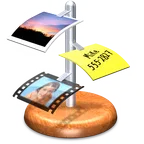 iClipiClip is a clipboard manager that records everything you copy on your Mac: plain text, rich text, images, files and more. Instead of losing the last thing you copied, you can copy several times and paste later. iClip was designed to be reached as simply as the Dock: move the pointer to the side of the screen and it slides out. You get things in and out by drag and drop, by one click on the arrows beside each bin, or with keyboard shortcuts, and a short hover shows a preview of a clipping.Productivity
 Prefs EditorPrefs Editor is a free macOS app that edits application and system preferences in a simple table. Its developer describes it as a graphical version of the Terminal's defaults command, or a Registry Editor for macOS. You choose a preferences domain, filter the list by typing part of an app's name, or drag in a plist file or an app. You then see its keys and values, and you can edit values, add or delete entries, copy and paste, and undo.System Utilities
FULLMAC.app does not host this app. Download buttons lead to the developer’s own pages.